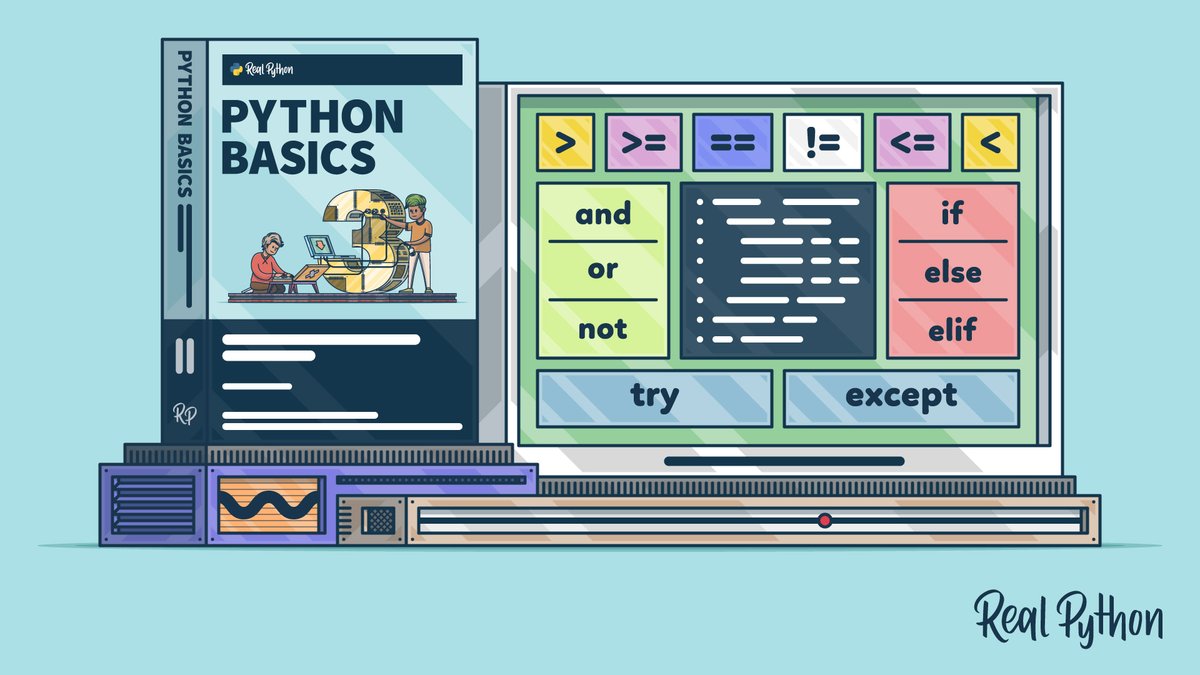
Imagine a world where your phone couldn't decide whether to show you a notification, your car didn't know when to brake, or a video game character walked straight into a wall because it couldn't tell the difference between "safe" and "danger." Sounds chaotic, right? This isn't just a sci-fi nightmare; it's what programs would be like without Conditional Logic & Flow Control. These fundamental concepts are the very mechanisms that allow software to "think," make decisions, and respond intelligently to varying situations, transforming rigid instructions into dynamic, adaptive systems.
Instead of executing every line of code in a predetermined sequence, conditional logic introduces choice. It empowers your programs to evaluate conditions – like "Is the user logged in?" or "Is the temperature above freezing?" – and then proceed down different paths based on the answers. This is the superpower that lets software perform specific actions, ignore others, or navigate complex scenarios with grace.
At a Glance: Your Guide to Smarter Programs
- Decision-Making Core: Conditional logic lets programs choose different actions based on whether specific conditions are true or false.
- Key Statements: Master
if,if...else,if...elif...else(orswitch/match) to build decision trees. - Logical Glue: Use comparison operators (
==,>,<=) and logical operators (and,or,not) to construct powerful conditions. - Beyond Basics: Explore nested conditionals for layered logic, and Python's
try/exceptfor robust error handling. - Clean Code Matters: Employ guard clauses, ternary operators, and clear boolean variables for readable, maintainable logic.
- Avoid Traps: Watch out for common errors like
==vs.=, incorrect operator precedence, and unreachable code.
Why Programs Need to Think: From Static to Dynamic
At its most basic, a computer program is a series of instructions. Without conditional logic, these instructions would always execute in the exact same order, every single time. It would be like a recipe with no "if" clauses: "always add sugar, even if you just wanted a savory dish." This kind of static, unthinking code is extremely limited.
Think about a simple login system. Without conditional logic, there's no way to check if the username and password are correct. Every attempt would either succeed or fail uniformly, regardless of the input. Conditional logic is the bridge that turns a static list of commands into a dynamic, responsive entity that can interact with users, data, and the environment in a meaningful way. It's how your program learns to say, "If this, then do that; otherwise, do something else."
The Foundational Building Blocks: Sculpting Decision Paths
The bedrock of conditional logic lies in a few key statements that dictate program flow. These are your primary tools for creating pathways in your code.
The Humble if Statement: A Simple Choice
The if statement is the most basic form of conditional logic. It says: "If a specific condition is true, then execute this block of code. Otherwise, skip it entirely."
How it works (in Python):
python
age = 18
if age >= 18:
print("You are eligible to vote.")
If age is less than 18, this print statement is simply ignored.
Here, if age is 18 or greater, the message prints. If age were 17, nothing related to the if block would happen.
The if...else Statement: Offering Two Paths
Sometimes, you don't just want to skip a block; you want to do something else if the condition isn't met. The if...else statement provides exactly two mutually exclusive execution paths. One path runs if the condition is True, and the other runs if it's False.
How it works (in Python):
python
temperature = 25
if temperature > 30:
print("It's a hot day!")
else:
print("The weather is moderate.")
If temperature is 31, prints "It's a hot day!". If 25, prints "The weather is moderate.".
This ensures that one — and only one — of the two code blocks will always execute.
The if...elif...else Statement: Handling Multiple Scenarios
Life often presents more than two options. The if...elif...else structure (where elif is short for "else if") allows you to check multiple conditions sequentially. Python evaluates these conditions from top to bottom. As soon as it finds a condition that is True, it executes the corresponding code block and then skips all subsequent elif and else blocks.
How it works (in Python):
python
score = 85
if score >= 90:
print("Grade: A")
elif score >= 80:
print("Grade: B") # This block executes because 85 >= 80 is True.
elif score >= 70:
print("Grade: C")
else:
print("Grade: D")
In this example, even though score >= 70 is also true, the "Grade: B" block executes because it's the first True condition encountered. The rest are then ignored. This "first true wins" mechanism is crucial for understanding how these multi-condition chains behave.
Sophisticated Choices: When to switch (or match in Python)
While if...elif...else chains are powerful, they can become cumbersome and less readable when you're checking a single variable against many distinct values. This is where the concept of a switch statement (common in languages like JavaScript, C++, Java) comes into play. It provides a cleaner, more organized way to handle these multi-way branches.
Python's Approach: match (3.10+) and Dictionary Tricks
Before Python 3.10, Python didn't have a direct switch statement. Developers often used if...elif...else chains or clever dictionary lookups to achieve similar functionality.
The match Statement (Python 3.10+): A Modern Alternative
With Python 3.10, the match statement was introduced, offering robust pattern matching capabilities that include switch-like functionality. It allows you to check a value against several "patterns" and execute code based on the first match.
How match works (in Python 3.10+):
python
command = "start"
match command:
case "start":
print("Starting the service...")
case "stop":
print("Stopping the service.")
case "restart":
print("Restarting the service.")
case _: # The underscore acts as a wildcard, similar to 'default' in other languages.
print("Unknown command.")
The match statement offers a far more readable and concise way to handle multiple specific cases compared to long if...elif sequences, especially when dealing with more complex data structures.
Pre-3.10 Alternative: The Dictionary Approach
For older Python versions or specific use cases, a dictionary can simulate switch behavior by mapping values to functions or actions.
python
def handle_start():
print("Starting the service...")
def handle_stop():
print("Stopping the service.")
def handle_unknown():
print("Unknown command.")
actions = {
"start": handle_start,
"stop": handle_stop,
}
command = "start"
actions.get(command, handle_unknown)() # Retrieves function, calls it.
This approach leverages Python's dynamic nature and can be very efficient for a large number of fixed choices.
Nesting Decisions: Layers of Logic
Just like Russian dolls, you can place conditional statements inside other conditional statements. This is called nested conditionals, and it allows you to check multiple layers of criteria.
A quick look (in Python):
python
is_logged_in = True
has_premium_access = False
if is_logged_in:
if has_premium_access:
print("Welcome, Premium user! Enjoy all features.")
else:
print("Welcome, Standard user! Some features may be limited.")
else:
print("Please log in to access content.")
Here, the inner if...else only gets checked if the user is logged in. While powerful, deep nesting can quickly make code difficult to read and understand. It's a common area for developers to look for ways to simplify.
The Language of Conditions: Operators at Your Command
Conditions aren't just arbitrary statements; they're expressions that evaluate to either True or False. To construct these expressions, you rely on two main types of operators.
Comparison Operators: Asking "Is it…?"
These operators compare two values and return a boolean result (True or False). They are the backbone of any conditional statement.
==(Equal to): Checks if two values are exactly the same. (e.g.,x == 5)!=(Not equal to): Checks if two values are different. (e.g.,y != "admin")>(Greater than): Checks if the left value is larger than the right. (e.g.,score > 90)<(Less than): Checks if the left value is smaller than the right. (e.g.,age < 18)>=(Greater than or equal to): Checks if the left value is larger than or equal to the right. (e.g.,temp >= 20)<=(Less than or equal to): Checks if the left value is smaller than or equal to the right. (e.g.,items <= 10)
Example (Python):
python
item_count = 5
max_items = 5
if item_count == max_items:
print("Inventory is full.")
Logical Operators: Combining Conditions for Complex Checks
Sometimes, a single comparison isn't enough. Logical operators allow you to combine multiple conditions, creating more nuanced decision criteria.
and: ReturnsTrueonly if both conditions it connects areTrue.- Analogy: You need both a ticket and a valid ID to enter.
if age >= 18 and has_license:or: ReturnsTrueif at least one of the conditions it connects isTrue.- Analogy: You can pay with cash or card.
if is_weekend or is_holiday:not: Reverses the boolean value of a condition.not TruebecomesFalse, andnot FalsebecomesTrue.- Analogy: If it's
not raining, go outside. if not is_empty:
Example (Python):
python
username = "admin"
password = "password123"
is_admin = True
if username == "admin" and password == "password123" and is_admin:
print("Admin access granted.")
if username == "guest" or username == "viewer":
print("Limited access provided.")
if not is_admin:
print("Regular user privileges.")
Understanding howand,or, andnotinteract is crucial, especially when conditions become more complex. Remember thatandgenerally has a higher precedence thanor, so parentheses()are often your best friend for clarity and to ensure conditions are evaluated in the order you intend.
Crafting Elegant & Robust Logic: Best Practices & Patterns
Writing functional conditional logic is one thing; writing good conditional logic is another. Good practices enhance readability, maintainability, and reduce the chance of errors.
Guard Clauses: Early Exits for Clarity
Guard clauses are a powerful pattern that uses an early return (or break/continue in loops) to handle prerequisite conditions or invalid states at the very beginning of a function or block. This significantly reduces the need for deep nesting and improves readability.
Instead of:
python
def process_order(order):
if order:
if order.is_valid():
if order.total_amount > 0:
... lots of processing logic here ...
print("Order processed successfully.")
else:
print("Order total must be positive.")
else:
print("Invalid order.")
else:
print("No order provided.")
Use guard clauses:
python
def process_order(order):
if not order:
print("No order provided.")
return # Exit early
if not order.is_valid():
print("Invalid order.")
return # Exit early
if order.total_amount <= 0:
print("Order total must be positive.")
return # Exit early
... Now, all the "happy path" processing logic can run without deep nesting ...
print("Order processed successfully.")
This makes the function's prerequisites immediately obvious and keeps the main logic flatter and easier to follow. Learn more about designing clean code structures that enhance readability.
Ternary Operator: Concise if/else for Simple Assignments
For very simple if/else assignments, the ternary operator (also known as a conditional expression in Python) offers a compact, one-line syntax.
How it works (in Python):
python
status = "active" if user_is_logged_in else "inactive"
This is equivalent to:
if user_is_logged_in:
status = "active"
else:
status = "inactive"
message = "Access Granted" if has_permission else "Access Denied"
print(message)
Use the ternary operator for clarity on single-line assignments, but avoid overusing it for complex logic, as it can quickly become unreadable.
Boolean Variables for Enhanced Clarity
Sometimes, a condition itself can be complex. Assigning the result of such a condition to a clearly named boolean variable can make your code much more readable, acting as a self-documenting label.
Instead of:
python
if (user.age > 65 and user.is_retired) or (user.years_of_service > 30 and user.department == "HR"):
print("Eligible for special benefits.")
Use a boolean variable:
python
is_eligible_for_benefits = (user.age > 65 and user.is_retired) or
(user.years_of_service > 30 and user.department == "HR")
if is_eligible_for_benefits:
print("Eligible for special benefits.")
This makes the if statement itself much easier to understand at a glance, as the complex logic is encapsulated within a meaningful name.
Steering Clear of Obstacles: Common Pitfalls in Conditional Logic
Even experienced developers can stumble over common traps when working with conditional logic. Being aware of these pitfalls can save you hours of debugging.
The = vs. == Mix-Up: A Classic Blunder
This is perhaps the most common mistake for beginners.
=is the assignment operator. It assigns a value to a variable. (e.g.,x = 5)==is the comparison operator. It checks if two values are equal. (e.g.,x == 5)
Mistaking one for the other in a conditional statement can lead to logic errors that are hard to spot because they might not always throw an error, especially in languages where assignment within anifcondition is valid (though often discouraged).
Python example:
python
INCORRECT (this will try to assign 10 to num, which is not allowed in if context this way)
if num = 10:
print("This would cause a SyntaxError in Python.")
CORRECT
num = 10
if num == 10:
print("num is indeed 10.")
Forgetting Parentheses and Operator Precedence
Logical operators have an order of operations (precedence). not typically goes first, then and, then or. If you mix them, and don't use parentheses, your conditions might evaluate differently than you expect.
Example:
python
Imagine user_is_admin = False, has_permission = True, is_active = True
Incorrect assumption: if (user_is_admin and has_permission) or is_active
if user_is_admin and has_permission or is_active:
print("This might grant access incorrectly.")
Because 'and' has higher precedence, this is evaluated as:
if (user_is_admin and has_permission) or is_active
if (False and True) or True => if False or True => True. Access granted!
Correct (using parentheses for clarity and desired logic):
if (user_is_admin and has_permission) or is_active:
print("Access based on being admin+permission OR just active.")
if user_is_admin and (has_permission or is_active):
print("Access based on being admin AND (permission OR active).")
Always use parentheses to explicitly define the order of operations when combining and and or for clarity and correctness.
Incorrect String Comparisons
Comparing strings can be tricky. Remember that comparisons are typically case-sensitive. "Apple" is not equal to "apple". Also, ensure you're comparing the full string, not just a substring, unless that's your explicit intent.
python
name = "Alice"
if name == "alice": # False
print("This won't print.")
if name.lower() == "alice": # True
print("This will print after converting to lowercase.")
Unreachable Code Due to Flawed Logic
Unreachable code is a section of your program that will never execute, no matter what inputs are provided. This often happens with poorly structured if...elif...else chains or overly restrictive conditions.
python
value = 10
if value > 20:
print("Value is very large.")
elif value > 5: # This condition will always be true if value is 10, preventing the next one.
print("Value is medium.")
elif value == 10: # This line is unreachable because the 'elif value > 5' caught it first.
print("Value is exactly 10.")
else:
print("Value is small.")
Carefully order your elif conditions from most specific to most general, or structure them to ensure all possible paths are considered and reachable.
Over-Nesting Conditional Statements
While nested conditionals are sometimes necessary, excessive nesting (three or more levels deep) drastically reduces code readability and maintainability. It creates a "pyramid of doom" that's hard to follow, debug, and test.
Look for opportunities to refactor deeply nested logic using:
- Guard clauses (as discussed above)
- Breaking down complex functions into smaller, single-purpose functions
- Using logical operators (
and,or) to combine conditions on a single line where appropriate.
Bringing it All Together: Practical Applications & Python Insights
Conditional logic isn't just theoretical; it's the engine behind almost every interactive program you encounter.
From User Input to Smart Simulations
- Validating User Input: Before processing data, you'll use
ifstatements to check if input meets requirements (e.g.,if age.isdigit() and int(age) >= 18:). - Controlling Program Flow: Whether it's guiding a user through a menu or determining the next step in an algorithm,
ifstatements dictate the path. - Creating Simulations and Games: Think about a game character's AI:
if enemy_in_range and character_has_ammo: shoot(). Conditional logic helps compare variable values (enemy_in_rangeto a distance threshold,character_has_ammotoTrue) to make those decisions. - Interactive Development with IDLE: When you're learning Python, using an interactive environment like IDLE allows you to quickly test conditional statements, see how variables compare, and understand the immediate output of different conditions. It's a fantastic sandbox for experimenting with flow control.
Robustness Through Error Handling (try...except)
While technically not a traditional conditional statement, Python's try and except blocks are a form of flow control that deals with exceptional conditions (errors). They allow your program to "try" a block of code, and "if" an error occurs, "then" execute a different block to handle it gracefully, preventing the program from crashing.
python
try:
num = int(input("Enter a number: "))
result = 10 / num
print(f"Result: {result}")
except ValueError:
print("That's not a valid number!")
except ZeroDivisionError:
print("Cannot divide by zero!")
except Exception as e: # Catch any other unexpected errors
print(f"An unexpected error occurred: {e}")
This pattern demonstrates a powerful way to make your programs more resilient, guiding the flow of execution based on whether an operation succeeds or fails. It's a crucial part of building reliable applications that respond intelligently to unforeseen circumstances.
Empowering Your Code to Be Smart
Conditional logic and flow control are more than just programming constructs; they are the tools that imbue your software with intelligence and responsiveness. By mastering if statements, understanding the power of comparison and logical operators, and adopting best practices like guard clauses, you transform static instruction sets into dynamic systems capable of making nuanced decisions.
The journey from writing a sequential script to crafting an adaptive program begins here. Practice comparing variable values, build out increasingly complex if...elif...else trees, and challenge yourself to refactor nested logic into cleaner patterns. Whether you're building a simple script or a sophisticated application, the ability to control how your program thinks and reacts to different conditions will be your most valuable skill.