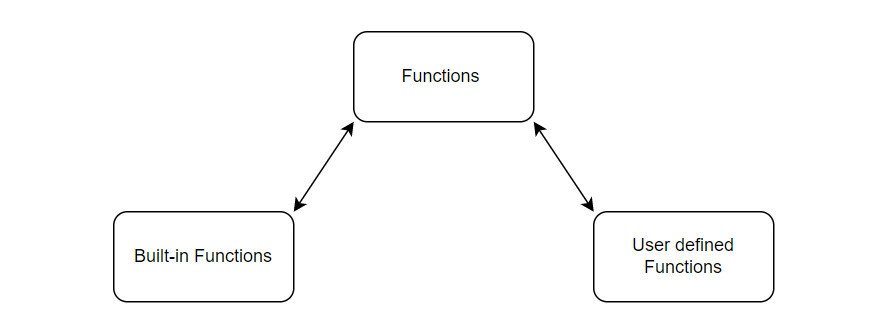
In the intricate world of programming, functions are the workhorses, performing specific tasks and often delivering results. But truly mastering how your code works isn't just about defining these functions; it's about understanding the subtle, yet powerful, mechanism of Function Execution & Return Values. This is where your code's output takes shape, where data flows from one operation to the next, and where the true elegance of Python shines.
Forget about just telling your code what to do. Think about how your code communicates back to you and other parts of your program. A function isn't just a black box; it's a dedicated worker that, once its job is done, hands you a precisely packaged result. Grasping this concept isn't just good practice; it's essential for writing robust, predictable, and genuinely Pythonic code.
At a Glance: Key Takeaways
- Every Python Function Returns: Whether you explicitly say
returnor not, a Python function always gives something back. If nothing else is specified, it’sNone. returnis an Exit Ramp: Whenreturnis encountered, the function immediately stops executing and hands its value back to the caller.- Print Shows, Return Provides:
print()displays information to a human;returnprovides data for your program to use. They serve different purposes. - Multiple Values are Tuples: If you
returnseveral comma-separated values, Python cleverly bundles them into a single tuple for you. - Strategic
returnis Robust Code: Thoughtful use ofreturnstatements is a hallmark of clean, efficient, and bug-resistant programming.
The Heartbeat of Your Program: Python Functions Unveiled
At its core, a Python function is a named block of reusable code designed to perform a specific task. You define them with the def keyword, give them a name, optionally list parameters they'll accept in parentheses, and then indent the code that makes up their body.
python
def greet(name):
message = f"Hello, {name}!"
return message # This function explicitly returns a string
When you call greet("Alice"), you’re asking Python to execute that specific block of code. The magic, however, lies in what happens after that execution. Unlike some other languages that distinguish between "procedures" (which just do something) and "functions" (which compute and return a value), Python keeps it simple: all named code blocks are functions because they always return a value.
Even if you write a function that seems to "just do something," like printing a message:
python
def just_print(text):
print(text)
No explicit return statement here!
When you call result = just_print("Python is fun!"), what do you think result holds? It's not empty, it's not undefined. It's None. This fundamental design choice ensures consistency and avoids ambiguity, making every function call a predictable interaction that always yields a result, even if that result is simply the absence of a meaningful value.
Demystifying the return Statement
The return statement is your primary tool for dictating what value a function sends back to its caller. It's concise, powerful, and central to how data moves through your Python programs.
Explicit Returns: Directing the Flow
When you use return followed by a value (or an expression), you're making an explicit return. This action triggers two critical events:
- Immediate Termination: The function stops executing at that exact point. Any code after the
returnstatement within the same execution path is skipped. - Value Transmission: The specified value is sent back to the part of your code that called the function.
python
def add_numbers(a, b):
sum_result = a + b
return sum_result # Explicitly returns the sum
x = add_numbers(5, 3)
print(x) # Output: 8
def calculate_discount(price, discount_percentage):
if discount_percentage > 100 or discount_percentage < 0:
return 0 # Early exit for invalid discount
discount_amount = price * (discount_percentage / 100)
return price - discount_amount
final_price = calculate_discount(100, 20)
print(final_price) # Output: 80.0
invalid_discount_effect = calculate_discount(50, 150)
print(invalid_discount_effect) # Output: 0 (due to early return)
Notice howcalculate_discountusesreturn 0to immediately exit if the discount is invalid, preventing further calculations and ensuring a sensible outcome.
The Silent Default: Implicit None
What happens if you don't explicitly return anything? Python doesn't leave you hanging. If a function reaches its end without encountering a return statement, or if it encounters a return statement without a specified value (a "bare return"), it implicitly returns None.
python
def do_nothing():
pass # This function does literally nothing
result1 = do_nothing()
print(result1) # Output: None
def log_message(message):
print(f"LOG: {message}")
return # Bare return, still implicitly None
result2 = log_message("User logged in.")
print(result2) # Output: None
This consistent behavior means you can always expect a value from a function call, even if that value is None, signifying the absence of a more specific return. It's Python's way of saying, "I finished, and there was nothing specific for me to hand back."
Where return Belongs (and Where It Doesn't)
The return statement is strictly for use inside functions or methods. Trying to use return outside of these contexts will lead to a SyntaxError:
python
This code will cause a SyntaxError
my_variable = 10
return my_variable
Python expects return to signify the completion of a function's work and the transmission of its result back to its caller.
Anything Goes: The Versatility of Return Values
One of Python's strengths is its flexibility. A function can return any Python object. This isn't limited to simple numbers or strings; you can return:
- Basic types:
int,float,str,bool - Collections:
list,tuple,dict,set - Custom objects: Instances of classes you define
- Classes themselves: You can even return a class definition!
- Other functions: This is key for advanced patterns like closures and decorators.
- Modules or packages
- The result of an expression: It's very common and Pythonic to directly return the outcome of a calculation, a list comprehension, or a conditional expression.
python
def get_user_data():
return {"name": "Alice", "age": 30, "is_active": True} # Returns a dictionary
user = get_user_data()
print(user["name"]) # Output: Alice
def generate_squares(n):
return [i*i for i in range(n)] # Returns a list from a list comprehension
squares = generate_squares(5)
print(squares) # Output: [0, 1, 4, 9, 16]
def get_status_function(status):
if status == "success":
return lambda: "Operation successful!"
else:
return lambda: "Operation failed."
success_func = get_status_function("success")
print(success_func()) # Output: Operation successful!
This immense flexibility allows you to design functions that encapsulate complex logic and return precisely the kind of data structure or callable object needed by the rest of your program.
Return vs. Print: A Common Crossroads
This is a point of frequent confusion, especially for beginners. While both return and print() can show you a value in an interactive Python session, their fundamental purposes are entirely different:
print(): Designed for displaying information to a human user. It sends a string representation of an object to the standard output (usually your console). Theprint()function itself always implicitly returnsNone.return: Designed for providing a value back to the program so it can be used in further computations, assignments, or decisions. It's about data exchange between functions.
Consider this example:
python
def calculate_area_and_print(radius):
area = 3.14159 * radius2
print(f"The area is: {area}")
def calculate_area_and_return(radius):
area = 3.14159 * radius2
return area
In an interactive session (like a Jupyter notebook or Python shell):
Calling calculate_area_and_print(5)
Output: The area is: 78.53975 (then implicitly returns None, which the session displays if you don't assign it)
Calling calculate_area_and_return(5)
Output: 78.53975 (this is the actual return value displayed by the session)
In a script, the difference is stark:
Example 1: Print only
result_print = calculate_area_and_print(5)
print(f"Result from print function: {result_print}")
Output:
The area is: 78.53975
Result from print function: None
Example 2: Return value
result_return = calculate_area_and_return(5)
print(f"Result from return function: {result_return}")
Output:
Result from return function: 78.53975
Crucially, you can't use the 'printed' value for further calculation:
total_area = calculate_area_and_print(5) + calculate_area_and_print(10) # ERROR! Cannot add None
total_area = calculate_area_and_return(5) + calculate_area_and_return(10) # Works perfectly
print(f"Total area: {total_area}") # Output: Total area: 392.69875
When building applications, you'll generally return values for your program's logic and print() only when you explicitly want to show something to the user, typically for debugging or user feedback.
More Than One Trick: Returning Multiple Values
Python has a wonderfully convenient feature that allows you to return what looks like multiple values from a function. In reality, Python is doing a little bit of magic under the hood: it automatically packs these values into a single tuple.
You simply list the values, separated by commas, after the return keyword:
python
def get_user_info(user_id):
Imagine this fetches data from a database
name = "Jane Doe"
email = f"jane.doe{user_id}@example.com"
age = 28
return name, email, age # Returning multiple values
When you call it, you can unpack the tuple directly into separate variables:
username, user_email, user_age = get_user_info(123)
print(f"User: {username}, Email: {user_email}, Age: {user_age}")
Output: User: Jane Doe, Email: jane.doe123@example.com, Age: 28
Or, you can capture it as a single tuple:
user_data_tuple = get_user_info(456)
print(user_data_tuple) # Output: ('Jane Doe', 'jane.doe456@example.com', 28)
print(user_data_tuple[0]) # Output: Jane Doe
This tuple-packing and unpacking mechanism is a very Pythonic way to handle functions that logically produce several related pieces of information. It's clean, efficient, and makes your code more readable. For larger sets of related data, especially when readability is paramount, you might consider using collections.namedtuple or even a custom class, which we'll touch on later.
Crafting Resilient Code: Best Practices for return Statements
Effective use of return isn't just about syntax; it's about thoughtful design that leads to maintainable, readable, and robust code.
Clarity Through Explicit None
While None is the default return value, sometimes it's beneficial to return None explicitly. This can be particularly useful when a function has multiple return paths, and None represents a specific, valid outcome (e.g., "not found," "no operation performed") alongside other, more concrete results. It signals intent to anyone reading your code.
python
def find_item(item_list, item_name):
for item in item_list:
if item == item_name:
return item
return None # Explicitly state that if not found, None is returned
items = ["apple", "banana", "cherry"]
found = find_item(items, "banana")
not_found = find_item(items, "grape")
print(f"Found: {found}") # Output: Found: banana
print(f"Not found: {not_found}") # Output: Not found: None
The "Remember the Return" Mindset
A common subtle bug is forgetting to return a value, leading to an implicit None that wasn't intended. A useful habit, especially for functions that should produce a result, is to write a placeholder return result immediately after the function header, then fill in the logic.
python
def process_data(data):
return processed_data # Placeholder to remind yourself!
... intricate data processing logic ...
processed_data = data.upper() + "_PROCESSED"
return processed_data # Now fill it in
This simple technique can prevent frustrating debugging sessions down the line.
Keeping It Clean: Avoid Overly Complex Return Expressions
While returning the result of an expression directly is Pythonic, overly complex expressions can hurt readability. If your return statement involves multiple nested operations or a lengthy calculation, break it down into temporary variables with meaningful names.
python
Less readable
def calculate_complex_metric(data):
return (sum(x for x in data if x > 0) / len([x for x in data if x > 0]) * 100) if any(x > 0 for x in data) else 0
More readable
def calculate_complex_metric_readable(data):
positive_numbers = [x for x in data if x > 0]
if not positive_numbers:
return 0
sum_positives = sum(positive_numbers)
count_positives = len(positive_numbers)
metric = (sum_positives / count_positives) * 100
return metric
Clarity is often more valuable than extreme conciseness.
Guard the Gates: Return Values Over Global Variables
A core principle of good software design is to keep functions self-contained. This means they should take their inputs as arguments and produce their outputs as return values. Modifying global variables from within functions is generally discouraged because it creates "side effects" that are hard to track, debug, and test.
python
Discouraged: Modifying a global variable
total_count = 0
def increment_count():
global total_count
total_count += 1
increment_count()
print(total_count) # Output: 1
Preferred: Returning a new value
def increment_and_return(current_count):
return current_count + 1
my_count = 0
my_count = increment_and_return(my_count)
print(my_count) # Output: 1
Using return values promotes modular, robust, and easier-to-understand code.
Covering All Bases: return with Conditionals
When your function uses if/elif/else statements, ensure that every possible execution path leads to a return statement. Forgetting one path can lead to an implicit None when you expect a real value, causing tricky bugs.
A common and highly effective pattern is early return or guard clauses. This involves placing return statements at the beginning of a function to handle specific error conditions or edge cases. If these conditions are met, the function exits early, simplifying the logic for the main path.
python
def divide(numerator, denominator):
if denominator == 0:
return None # Handle error condition immediately
if not isinstance(numerator, (int, float)) or not isinstance(denominator, (int, float)):
return None # Another guard clause for invalid types
return numerator / denominator # The main logic is simpler now
print(divide(10, 2)) # Output: 5.0
print(divide(10, 0)) # Output: None
print(divide("a", 2)) # Output: None
This approach makes functions easier to read, as you don't need to indent deeply for the main logic.
Boolean Brilliance: Predicate Functions
Functions that return True or False (often called predicate functions) are fundamental for control flow. For simple Boolean expressions, you can often return the expression directly:
python
def is_even(number):
return number % 2 == 0 # Directly returns True or False
print(is_even(4)) # Output: True
print(is_even(7)) # Output: False
However, be mindful when using and or or operators, as they return one of their operands rather than strictly True or False (though the operands themselves evaluate to a truthy/falsy value). If you need a strict True or False, explicitly convert or use a conditional expression:
python
def check_permission(user_role, item_status):
Returns the actual value of user_role or item_status, which might not be a boolean
return user_role == "admin" or item_status == "public"
More explicit boolean return
return bool(user_role == "admin" or item_status == "public")
Or:
return True if user_role == "admin" or item_status == "public" else False
Breaking Free: Short-Circuiting Loops with return
A return statement inside a loop immediately terminates both the loop and the function itself. This is incredibly useful for efficiency when you're searching for something or checking a condition where finding one instance is enough.
python
def contains_vowel(word):
vowels = "aeiouAEIOU"
for char in word:
if char in vowels:
return True # Found a vowel, no need to check further
return False # If loop finishes, no vowel was found
print(contains_vowel("rhythm")) # Output: False
print(contains_vowel("hello")) # Output: True (exits on 'e')
No Dead Ends: Eliminating Dead Code
Code placed after a return statement in the same execution path will never execute. This is called "dead code" and should be removed. It clutters your function, makes it harder to read, and can give a false impression of what the function actually does.
python
def my_function():
print("Starting...")
return 10
print("This line will never execute.") # Dead code!
my_function()
Output:
Starting...
Keep your functions lean and purposeful.
Enhanced Readability: Named Tuples for Multi-Returns
While returning multiple values as a tuple is effective, accessing them by index (result[0]) can sometimes make code less readable, especially if the tuple has many elements or the function is called far from where it's defined. collections.namedtuple offers a fantastic solution by allowing you to access elements by descriptive names.
python
from collections import namedtuple
Define a named tuple structure for our return data
PersonInfo = namedtuple("PersonInfo", ["name", "age", "city"])
def get_person_details(person_id):
Simulate fetching from a database
if person_id == 1:
return PersonInfo(name="Alice", age=30, city="New York")
else:
return PersonInfo(name="Bob", age=25, city="London")
person1 = get_person_details(1)
print(f"{person1.name} is {person1.age} years old and lives in {person1.city}.")
Output: Alice is 30 years old and lives in New York.
You can still unpack them too!
name, age, city = get_person_details(2)
print(f"{name} is {age}.") # Output: Bob is 25.namedtuple combines the lightweight efficiency of tuples with the readability of object-like attribute access, making your multi-value returns much clearer.
Beyond the Basics: Advanced return Scenarios
The return statement's power extends into some of Python's most sophisticated programming patterns.
Functions as First-Class Citizens: Closures in Action
In Python, functions are "first-class objects," meaning they can be passed around like any other data type—assigned to variables, stored in data structures, and even returned from other functions. This capability is fundamental to closures. A closure is an inner function that remembers and has access to variables from its enclosing scope, even after the outer function has finished executing.
A factory function often returns a closure:
python
def make_multiplier(factor):
def multiplier(number):
return number * factor # 'factor' is remembered from the enclosing scope
return multiplier # Return the inner function
times_two = make_multiplier(2)
times_three = make_multiplier(3)
print(times_two(10)) # Output: 20
print(times_three(10)) # Output: 30
Here, make_multiplier returns a function (multiplier), which then carries the factor with it. This pattern is incredibly powerful for creating configurable, specialized functions on the fly.
Wrapping Up Functionality: The Decorator Pattern
Decorators are a special kind of function that takes another function as an argument, adds some functionality, and returns a new, modified function. They are applied using the @ syntax, which is syntactic sugar for a specific kind of function call.
python
def timing_decorator(func):
import time
def wrapper(*args, **kwargs):
start_time = time.time()
result = func(*args, **kwargs) # Call the original function
end_time = time.time()
print(f"Function {func.name} took {end_time - start_time:.4f} seconds.")
return result # Crucially, the wrapper returns the original function's result
return wrapper # The decorator returns the wrapper function
@timing_decorator
def long_running_task(n):
sum_val = 0
for i in range(n):
sum_val += i
return sum_val
output = long_running_task(10000000)
print(f"Task output: {output}")
Output:
Function long_running_task took X.XXXX seconds.
Task output: 49999995000000
The timing_decorator function returns the wrapper function, which then effectively replaces the original long_running_task. The wrapper ensures that long_running_task still executes and its return value is propagated, but with added timing logic.
Building Objects Dynamically: The Factory Pattern
Functions can serve as "factories" that create and return instances of different objects based on input parameters. This is a common design pattern for flexible object creation.
python
class Dog:
def init(self, name):
self.name = name
def speak(self):
return f"{self.name} says Woof!"
class Cat:
def init(self, name):
self.name = name
def speak(self):
return f"{self.name} says Meow!"
def animal_factory(animal_type, name):
if animal_type == "dog":
return Dog(name)
elif animal_type == "cat":
return Cat(name)
else:
return None
fido = animal_factory("dog", "Fido")
whiskers = animal_factory("cat", "Whiskers")
print(fido.speak()) # Output: Fido says Woof!
print(whiskers.speak()) # Output: Whiskers says Meow!
Here, animal_factory dynamically determines which object to instantiate and then returns that new object instance.
Guaranteed Cleanup: return and try...finally
When a return statement appears inside a try block that also has a finally clause, the finally clause is guaranteed to execute before the function actually returns its value to the caller. This ensures that cleanup operations (like closing files or releasing resources) always happen, regardless of how the try block exits.
python
def process_file(filename):
f = None # Initialize f outside try to ensure it's defined for finally
try:
f = open(filename, "r")
content = f.read()
if "error" in content:
return "Error found!" # This return happens, but finally will execute first
return content # This return also happens after finally
except FileNotFoundError:
return "File not found."
finally:
if f: # Check if file was successfully opened
f.close()
print(f"File '{filename}' closed.")
Create a dummy file for testing
with open("test.txt", "w") as tf:
tf.write("This is a test file.")
print(process_file("test.txt"))
Output:
File 'test.txt' closed.
This is a test file.
with open("error.txt", "w") as ef:
ef.write("This file contains an error.")
print(process_file("error.txt"))
Output:
File 'error.txt' closed.
Error found!
This ensures robust resource management, even in the presence of early returns or exceptions.
Generators: Yielding vs. Returning
Generator functions are a special type of function that uses the yield keyword instead of return to produce a sequence of values one at a time. However, a generator function can also have a return statement. When return is used in a generator function, it signals that the generator is exhausted. If a value is specified with return in a generator, that value becomes the .value attribute of the StopIteration exception that is raised when the generator finishes.
python
def count_up_to(n):
for i in range(n):
yield i
return "Finished counting!" # This value is attached to StopIteration
my_counter = count_up_to(3)
print(next(my_counter)) # Output: 0
print(next(my_counter)) # Output: 1
print(next(my_counter)) # Output: 2
try:
print(next(my_counter))
except StopIteration as e:
print(f"Generator exhausted. Return value: {e.value}")
Output:
Generator exhausted. Return value: Finished counting!
This advanced use of return in generators is primarily for providing a final "summary" or status message when the iteration completes.
Your Questions Answered: Common Misconceptions & Clarifications
Let's quickly tackle some frequent questions and clear up common misunderstandings about function returns.
"Do I always need a return statement?"
Not explicitly. If you omit return, Python automatically returns None. So, while you don't write return, a value is always returned. It's often good practice to explicitly return None if that's the intended outcome for clarity.
"Can I return a function itself?"
Absolutely! As demonstrated with closures and decorators, functions are first-class objects in Python. You can assign them to variables, pass them as arguments, and critically, return them from other functions. This is a powerful feature for creating highly flexible and dynamic code.
"What's the performance cost of returning multiple values?"
The performance cost is minimal. Python packs them into a tuple, which is a very efficient, immutable data structure. Unpacking is also highly optimized. For the vast majority of use cases, you won't notice any performance difference compared to returning a single object. Use it freely for clarity and convenience.
"Can I have multiple return statements in a function?"
Yes, you can have as many return statements as your logic requires. However, only one of them will ever execute during a single function call, because the first return encountered immediately terminates the function. Use if/elif/else to control which return path is taken.
"Is it better to print for debugging or return temporary values?"
For debugging, print() is your go-to. It lets you inspect values at various points without altering the function's intended return value. Once debugging is done, remove the print() statements. return is for the function's final output for programmatic use.
Next Steps: Harnessing the Power of Return Values
Mastering return statements and understanding the flow of function execution is a cornerstone of effective Python programming. It's how you build predictable, modular, and reusable components that seamlessly integrate into larger applications.
By consciously deciding what your functions should receive and what they should provide, you're not just writing code; you're designing clear contracts between different parts of your program. Embrace explicit returns, utilize multiple returns where sensible, and always think about how your functions contribute to the overall data flow.
As you continue to build more complex systems, the clarity and robustness afforded by well-designed functions with appropriate return values will be invaluable. Keep practicing, keep experimenting, and you'll find your code becoming increasingly powerful and elegant. To truly explore the entire process of building robust Python applications, dive deeper into how these fundamental building blocks combine.